Autonomous operations guide · Updated August 2026
Drone-in-a-Box Systems for Autonomous Inspection
Understand how an autonomous drone dock, compatible aircraft, remote operations software, and site infrastructure work together for repeatable missions.
System basics
What is a drone-in-a-box system?
The term also appears as autonomous drone dock, drone docking station, automated drone station, remote drone hangar, or drone station.
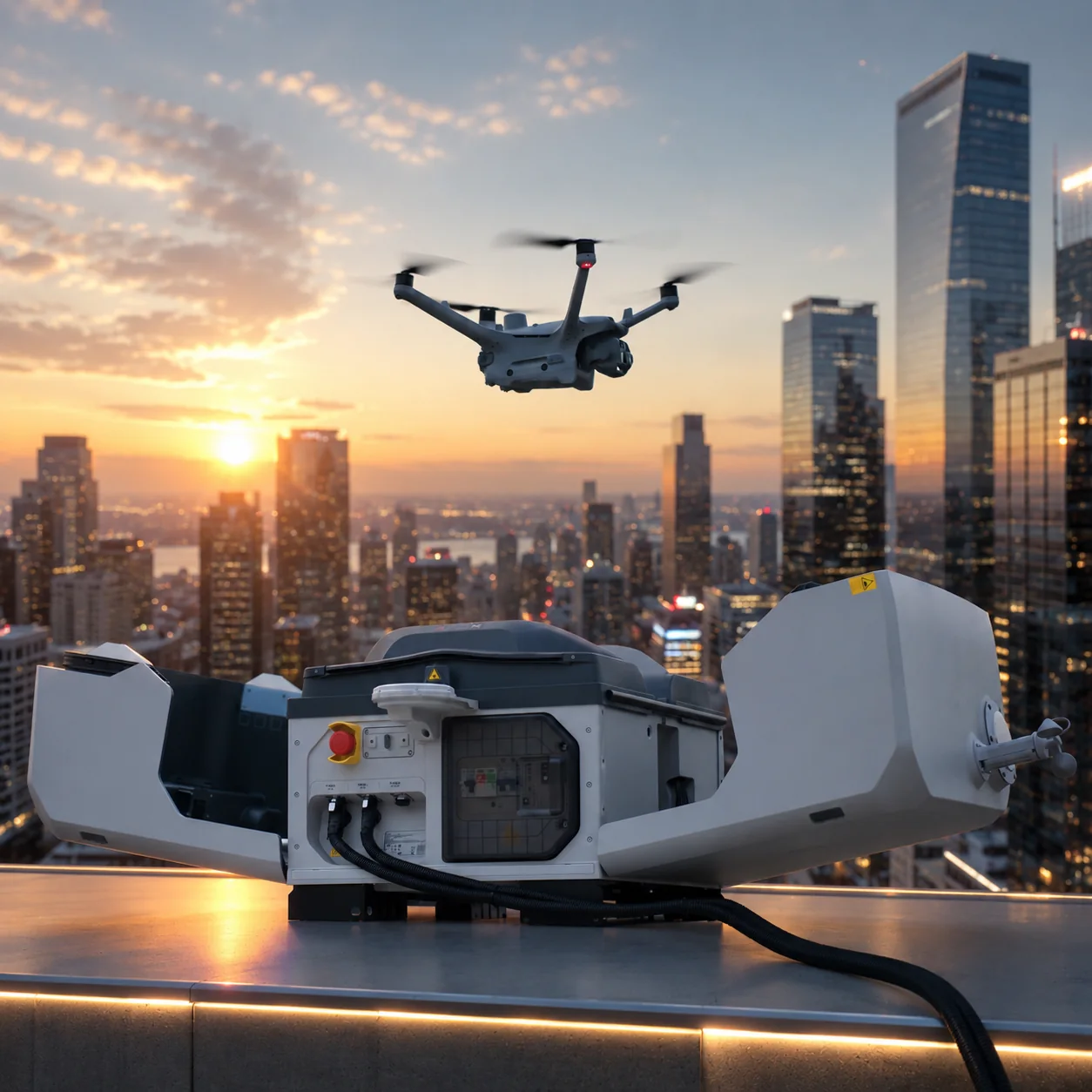
The dock protects and manages a compatible aircraft between missions. Depending on the system, it can support remote preflight checks, opening and closing, takeoff, landing, battery charging, environmental monitoring, communications, equipment-health information, and scheduled or approved on-demand flights.
The real business value comes from repeatability. A well-designed system can capture comparable records of the same asset or area without rebuilding the workflow for every mission. It does not eliminate operator responsibility, aviation approval, field maintenance, weather limits, or human interpretation.
How autonomous drone docks work
Every layer has to be ready before a remote mission can produce useful and defensible inspection data.
Prepare
The system checks aircraft, dock, power, network, positioning, weather, route, and authorization conditions before launch.
Execute
The compatible aircraft follows a planned route and camera sequence while the approved operations team maintains remote awareness.
Recover
The aircraft returns to the docking station, lands, transfers mission data as configured, and recharges for a future task.
Review
Images, thermal data, maps, logs, and exceptions are reviewed against the organization's inspection or response process.
Key components of an autonomous drone station
A complete quotation should define every required layer, its owner, and what is excluded.
Remote operations
Design the workflow before automating it
Start with the evidence or response outcome. Define what the aircraft must observe, how often, from which viewpoints, under what conditions, and who will review the result. Only then select the dock, aircraft, software, and integration.
Remote operation should include preflight gates, weather limits, airspace and privacy checks, live oversight, loss-of-link procedures, maintenance, data retention, and escalation. The goal is a controlled repeatable process, not unattended flight.
For DJI-specific planning, review the detailed DJI Dock 3 autonomous drone dock guide and FlightHub 2 remote operations workflow.
Inspection and response
Where drone-in-a-box systems create value
The strongest use cases are frequent, remote, hazardous, time-sensitive, or expensive to staff consistently.
Energy and infrastructure: repeat visual or thermal routes around solar sites, substations, industrial facilities, corridors, and critical assets.
Construction and mining: capture progress, stockpiles, earthworks, perimeter changes, and site context at planned intervals.
Security and public safety: support approved situational-awareness, perimeter, emergency, and response workflows with defined command and privacy controls.
Remote industrial sites: reduce repeated travel while maintaining a consistent inspection record and a clear exception process.
Selection framework
Choosing the right drone-in-a-box system
Compare operating fit and total deployment scope, not only aircraft specifications.
- Mission frequencyEstimate how often the system will fly and whether repeatability or response time justifies a permanent or mobile dock.
- Sensor outputChoose visible, thermal, mapping, or other data around the defect, incident, or deliverable the team must evaluate.
- Site readinessValidate power, network, GNSS visibility, clearance, weather, drainage, access, physical security, and local restrictions.
- Operations softwareConfirm mission planning, live monitoring, records, storage, permissions, security, and required integrations.
- Total project costInclude aircraft, dock, mount, civil and electrical work, communications, software, freight, import charges, commissioning, training, spares, and support.
Buyer questions
Drone-in-a-box FAQ
Use these answers to prepare a more accurate deployment brief.
What is a drone-in-a-box system?
It is a remotely managed drone station that combines a protected dock, compatible aircraft, charging, communications, positioning, software, and an approved operating workflow for repeatable missions.
Does a drone dock replace the operator?
No. A dock can automate parts of the mission cycle, but trained oversight, approvals, weather limits, maintenance, data review, privacy, and local aviation compliance remain necessary.
What should be included in a drone docking station quotation?
The quotation should identify the dock, aircraft, mount, power, network, software, accessories, freight, installation, commissioning, training, support, and regional responsibilities.
Is DJI Dock 3 a drone-in-a-box solution?
Yes. DJI Dock 3 is an autonomous drone dock for compatible Matrice 4D Series aircraft and remote workflows using DJI FlightHub 2 or supported integrations.
Plan the deployment
Talk to Aeronestdock about your autonomous drone station
Send the country, mission, site conditions, required sensor, flight frequency, software needs, quantity, and deployment timeline.