Mobile deployment case study
Vehicle-Mounted DJI Dock 3 for Mobile Drone Operations
A pickup or service vehicle can become a relocatable launch, landing, charging, and remote-operations platform for inspection teams working across distributed assets.
Field configuration
A mobile base built around the mission
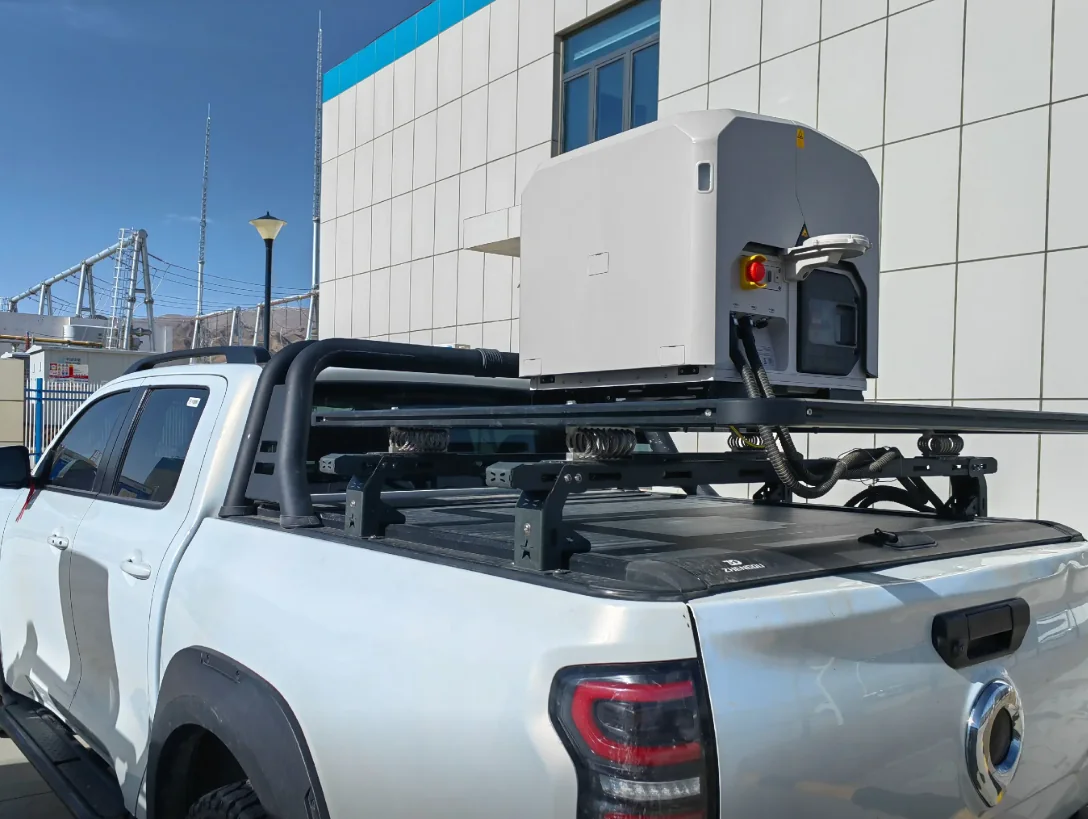
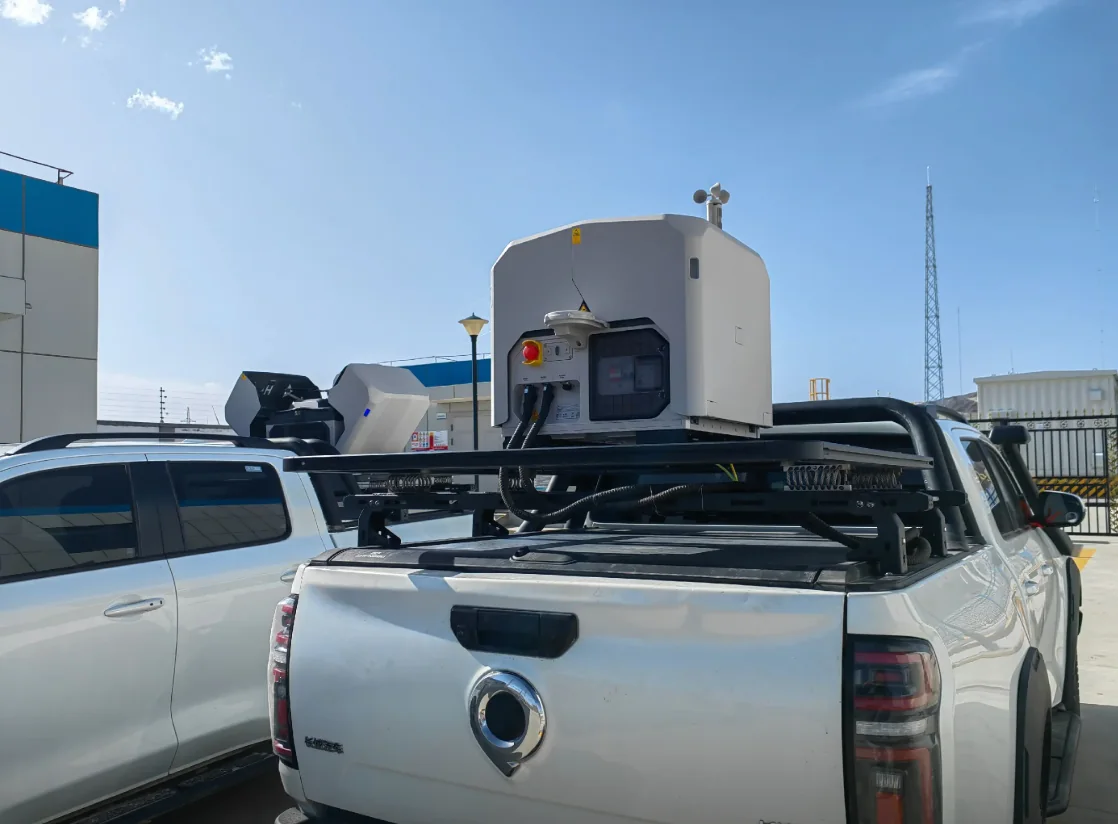
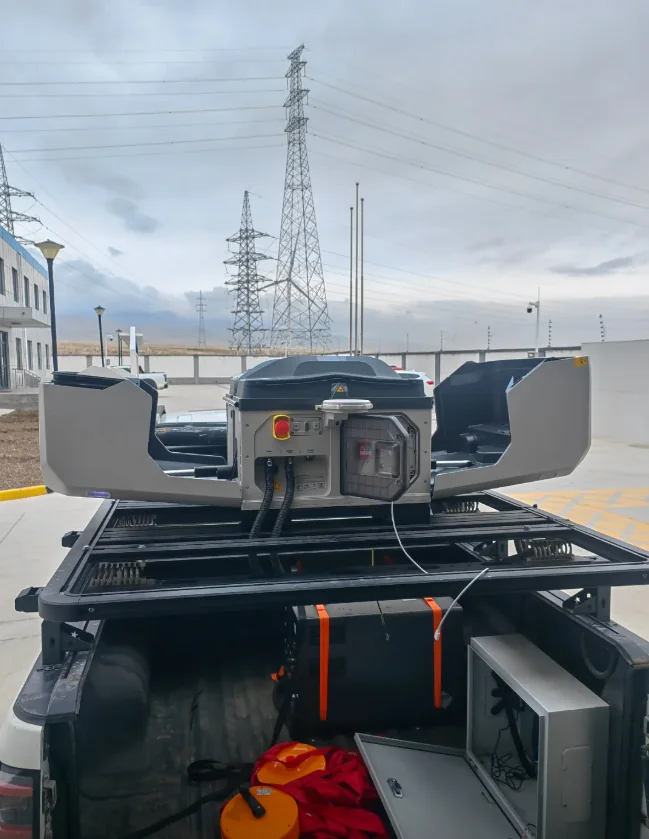
The supplied images show DJI Dock 3 integrated above a reinforced pickup platform while preserving space for tools, communications, power components, and field equipment.
- Deployment
- Vehicle-mounted
- Best fit
- Distributed assets
- Aircraft
- Matrice 4D Series
- Control layer
- DJI FlightHub 2
01 / Deployment logic
What this vehicle-mounted deployment shows
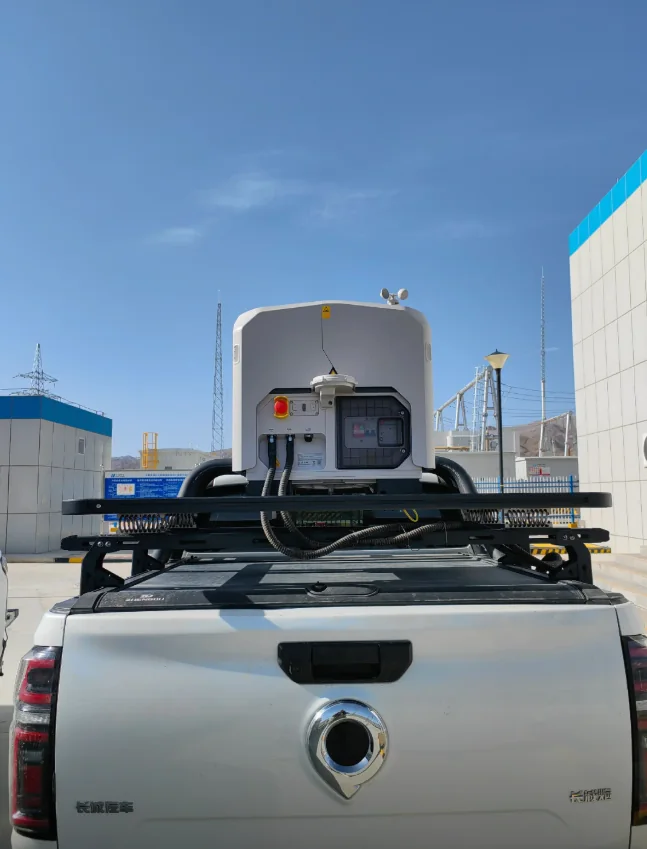
The case images show DJI Dock 3 integrated on a reinforced pickup-truck platform. The dock is carried above the truck bed, while the vehicle retains space for field equipment, communications hardware, tools, and supporting power components. This layout creates a practical mobile base for organizations that inspect assets spread across a wide geographic area.
The important point is not simply that the dock can be transported. The vehicle becomes part of the operating system. Mounting structure, parked stability, power, network connectivity, GNSS visibility, safe takeoff and landing clearance, maintenance access, and the local authorization area all need to be considered together before a mission is launched.
DJI describes Dock 3 as its first dock adaptable for vehicle mounting. That makes this deployment model especially relevant to utilities, emergency teams, engineering contractors, and infrastructure operators that need autonomous-drone capability without committing to a fixed civil installation at every site.
Why mobile drone docking fits distributed infrastructure
A fixed autonomous drone station works best when the same site must be inspected again and again. Distributed infrastructure creates a different problem. Transmission lines, pipelines, highways, rail corridors, construction projects, mines, and large rural properties can extend far beyond the practical coverage of one fixed launch point.
A mobile drone dock can be driven closer to the current work area, placing the aircraft near the asset instead of forcing every mission to start from a distant permanent base. For long linear assets, this can reduce unnecessary transit flight and make it easier to divide a large inspection program into approved operating zones.
The same vehicle can also serve several project types over time: routine tower and substation inspection, post-storm documentation, changing construction zones, or different active areas across a mine.
02 / Repeatable workflow
How a mobile Dock 3 mission can operate
Treat the system as a repeatable field procedure, not a device that is simply switched on after parking.
- PositionMove to the approved mission point and verify surface and slope.
- SecureControl the operating area and confirm takeoff clearance.
- ConnectVerify power, primary and backup communications, and GNSS.
- InspectRun the approved route and capture visible, zoom, or thermal data.
- ReviewReturn, recharge, and compare the mission record in FlightHub 2.
After takeoff, the aircraft follows the mission plan and captures the required data. It then returns to the dock, lands, and recharges for the next authorized task. Mission records can be reviewed remotely in DJI FlightHub 2 when the account, connectivity, and procedure are configured for that workflow.
The business value comes from repeatability. When the same corridor section is inspected from comparable positions, imagery becomes easier to compare, exceptions become easier to identify, and field personnel can be sent to the places that need hands-on attention.
Supplied deployment photography
Transport, access, and operating position
The mounting platform must allow transport, service access, protected equipment space, and a stable stationary launch position.
03 / Mission fit
Best applications for a mobile autonomous drone station
- Utility corridorsPower transmission routes, substations, pipelines, distribution infrastructure, and telecom sites where inspection points are geographically separated.
- Road, rail, and bridge workActive projects, temporary work zones, and maintenance sections without a permanent dock at each location.
- Mining and large propertiesRelocate the operating point as extraction areas, stockpiles, haul roads, and construction zones change.
- Emergency assessmentSupport approved visual or thermal awareness after storms, floods, landslides, fires, or infrastructure failures.
- Temporary securityWhere local rules and site procedures allow, support short-term perimeter observation from a controlled position.
04 / Engineering
Vehicle integration requirements that matter
The mount must be engineered for the dock, vehicle, expected vibration, travel conditions, service access, and forces created during transport. The dock should be used only from a stationary, prepared operating condition consistent with applicable product instructions and local procedures.
Power design should cover the dock, communications equipment, and supporting electronics. For remote use or unstable utility power, size the total architecture around mission duration, battery strategy, and support equipment rather than the dock nameplate alone.
Network planning is equally important. Teams should consider primary and backup links, signal quality at intended parking areas, antenna placement, cybersecurity, and the operational consequence of an interruption.
Fixed dock or vehicle-mounted dock?
A fixed dock is usually stronger for a factory, substation, solar farm, or campus that requires frequent missions from one location. A vehicle-mounted dock is stronger when inspection geography changes. Many organizations benefit from a hybrid model: fixed docks at high-frequency sites and a mobile system for temporary projects, remote corridors, incidents, and overflow coverage.
Plan the operating model before the hardware
List the assets, distances between work areas, mission frequency, sensors, data outputs, crew responsibilities, vehicle type, power source, network options, and regions where the system will operate. For thermal inspection, Matrice 4TD can add thermal, low-light, and rangefinding capability. The mount, aircraft, software, accessories, spares, training, permissions, and support plan should be quoted as one project scope.
Project questions
Frequently asked questions
Can DJI Dock 3 be mounted on a vehicle?
Yes. DJI Dock 3 supports vehicle-mounted deployment, but the mount, parked operating position, power, communications, safe clearance, calibration, and local approval still need project engineering.
What is the main benefit of a vehicle-mounted drone dock?
Mobility. The launch point can move closer to distributed or temporary work areas, helping utilities, infrastructure, mining, construction, and response teams cover geography that one fixed dock cannot efficiently serve.
Can the dock operate while the vehicle is moving?
No. The vehicle is used for transport and relocation; flight operations should begin from a stationary, prepared position that follows product instructions, site procedures, and local aviation requirements.
Which aircraft works with DJI Dock 3?
DJI Dock 3 works with the Matrice 4D Series, including Matrice 4D and Matrice 4TD. Matrice 4TD adds the thermal-focused capability used for energy inspection, night observation, and incident awareness.
How should a mobile Dock 3 project be quoted?
Provide the vehicle type, country, mission area, target assets, sensors, mission frequency, power and network plan, quantity, and support scope. These inputs define the mount, aircraft, dock, software, accessories, installation, and delivery package.
Planning a vehicle-mounted Dock 3 project?
Define the vehicle, mission, and support scope
Send Aeronestdock the vehicle type, deployment country, target assets, operating area, aircraft preference, network conditions, and quantity. We can define a project configuration covering hardware, vehicle integration, software, spares, delivery, and deployment support.